Research is a big part of creating learning experiences, whether you’re trying to understand a new topic, organize information from different sources, or figure out how to turn a pile of content into something learners can actually use. In this second installment of WTT: What’s The Tool?, I’m taking a closer look at NotebookLM and how it a great tool for research and brainstorming for learning development.
Category: AI & Productivity
Best for: Learning & Development Professionals, Instructional Designers, Trainers, Teachers, and anyone working with lots of reference materials
Learning Effort: 🏋️ Easy
Why I Decided to Try NotebookLM
I’ve used plenty of AI tools that can generate ideas, summarize information, or help with writing.
What makes NotebookLM interesting to me is that it starts with your sources.
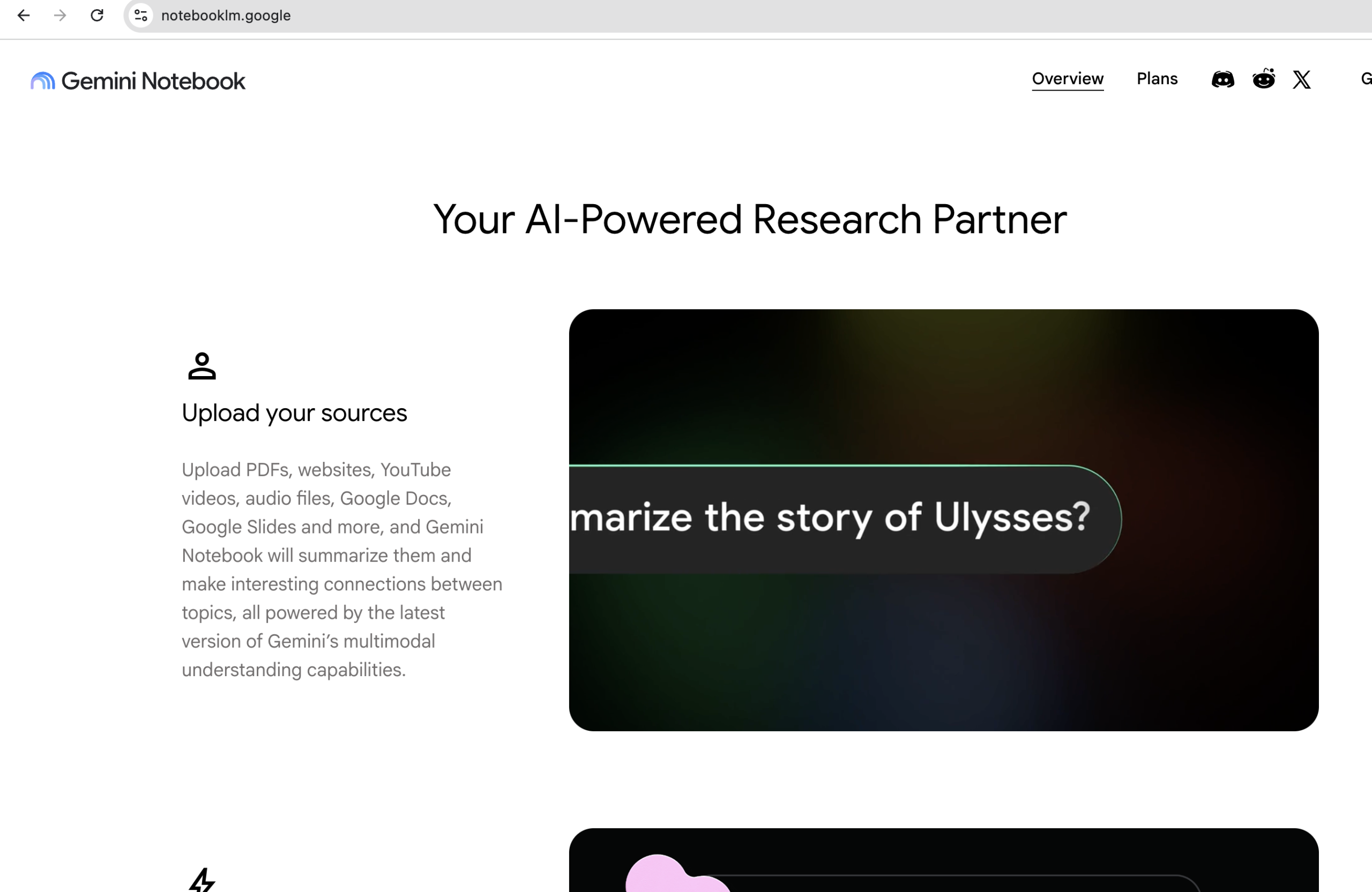
You can add PDFs, websites, YouTube videos, audio files, Google Docs, and Google Slides to a notebook, then ask questions and explore the information within that collection. NotebookLM’s responses are grounded in the sources you provide and include citations that let you check where the information came from.
For learning professionals, I think that makes NotebookLM particularly interesting during the research and brainstorming stage of developing learning materials.
Rather than asking AI to come up with a training program from nothing, you can give it the materials you’re already working with and use it as a thinking partner.
What’s the Tool?
NotebookLM is an AI-powered research and brainstorming assistant designed to help you refine and organize ideas using the sources you provide.
You can create a notebook around a topic or project and bring together the materials you’re using for your research.
For example, imagine you’re developing training on customer service.
You might have:
- A company policy document
- Existing training materials
- Customer service guidelines
- Articles or research
- A YouTube video
- Notes from an SME
Instead of keeping all of those sources open in different tabs, you can bring them into one notebook and start asking questions across them.
And that’s where I think NotebookLM gets particularly interesting.
Research, Then Brainstorm
I wouldn’t describe NotebookLM primarily as a “training generator.”
For me, its more interesting use is what happens before you start building the training.
You could ask questions such as:
What are the recurring themes across these sources?
What concepts appear to be the most important for someone learning this topic?
What information is repeated across the sources?
Are there areas where the sources appear to disagree?
What questions might a learner have after reading these materials?
Because NotebookLM works from the sources you’ve provided, it can help you explore the material without requiring you to repeatedly paste the same information into a general-purpose AI chat.
And this is where I see the brainstorming potential.
You might use the information you’ve gathered to start thinking about:
- Possible learning objectives
- Discussion questions
- Scenarios
- Knowledge checks
- Examples
- Topics that need further research
- Gaps in your existing materials
The tool isn’t making those instructional decisions for you.
It’s helping you think through the content.
Where I Think It Shines
1. Making Sense of a Lot of Information
If you’re handed a stack of documents and don’t know where to start, NotebookLM can help you get oriented.
You can ask questions about your sources, identify themes, and create summaries or other artifacts from them.
That can be particularly useful during the early stages of a learning project.
2. Brainstorming From Your Actual Sources
There’s a difference between asking:
“Give me ideas for customer service training.”
and asking:
“Based on these five documents, what situations could be turned into realistic customer service scenarios?”
The second question gives you something concrete to work with.
3. Connecting Different Sources
One of the things I like about the notebook concept is being able to look at multiple sources together.
You might discover that a policy document emphasizes one thing while an existing training deck approaches the same topic differently.
Those differences can become useful questions to investigate before you start designing.
4. Exploring Information in Different Formats
NotebookLM can turn source material into things like study guides, briefings, mind maps, audio overviews, and other formats.
That doesn’t mean you should use every generated artifact in your training.
Sometimes the value is simply having another way to interact with the information while you’re researching.
Who Should Consider Using It?
I think NotebookLM is particularly useful for people who regularly have to research before they create:
✔ Learning & Development Professionals
✔ Instructional Designers
✔ Trainers
✔ Teachers
✔ Consultants
✔ Students and researchers
✔ Subject matter experts working with large amounts of reference material
It’s especially interesting if your work involves synthesizing information from multiple sources before turning it into something for other people.
What I Like
The biggest thing for me is the source-based approach.
Instead of asking an AI tool to simply “tell me about” something, you can give NotebookLM the materials you’re actually working with and interrogate those materials.
The citations are also useful because they give you a way to check the source behind a response.
I also like that NotebookLM doesn’t force you to decide exactly what you’re creating upfront.
You can start with research.
Then questions.
Then ideas.
Then perhaps a mind map or study guide.
That makes it feel more like a research and brainstorming workspace than a traditional content-generation tool.
Things to Keep in Mind
NotebookLM is not a substitute for doing your own research or checking the information it produces.
Google itself notes that NotebookLM can make mistakes, and its generated responses and artifacts may contain inaccuracies.
I’d also be careful about treating “source-grounded” as synonymous with “automatically correct.”
If your source contains outdated, incomplete, or incorrect information, NotebookLM can only work with what you’ve given it.
And there’s another important consideration for learning professionals:
Don’t confuse research assistance with instructional design.
NotebookLM can help you understand and explore your content.
It doesn’t know your learners, your business context, your performance problem, or what your training actually needs to accomplish.
Those decisions still require human judgment.
Learning Effort
🏋️ Easy
The basic concept is straightforward:
Add sources → ask questions → explore → organize your thinking.
The more interesting learning curve is figuring out what questions to ask.
And honestly, that’s part of the fun.
The better your questions, the more useful NotebookLM becomes as a brainstorming partner.
My Verdict
I think NotebookLM is worth exploring if you’re someone who regularly finds yourself saying:
“I have all this information. Now what do I do with it?”
For me, its biggest value isn’t asking it to create the finished learning product.
It’s using it to research, organize, question, connect, and brainstorm before you start building.
That’s an important distinction.
AI can help you get from a pile of information to a clearer starting point.
What you do with that starting point is still your job.
But What If You Don’t Want to Build From Scratch?
This is where I think there’s an interesting alternative.
If you’re a learning professional who enjoys developing your own training, tools like NotebookLM can help with the research and brainstorming that happens before development.
But sometimes you simply need a training resource that is ready to use.
That’s one of the reasons I created Shoshin Learning Lab.
Shoshin offers ready-to-use workplace learning materials covering practical topics such as customer service and digital safety, including Active Listening, Handling Difficult Customers, Managing Customer Complaints, Data Privacy, Password Security, and Spotting Phishing.
So you have two options:
Build your own: Use tools like NotebookLM to help you research and brainstorm.
Start with something ready to use: Explore the training resources available from Shoshin Learning Lab.
Explore More Tools
NotebookLM is just one of the 25 EdTech tools featured in my FREE guide:
Beyond the Basics: 25 EdTech Tools Worth Exploring for Teachers and Learning Professionals
If you’re curious about other tools that can support your work in teaching and Learning & Development, you can download the guide for free from my Resources Hub.
And if you’re looking for ready-to-use workplace training materials, you can explore Shoshin Learning Lab on Etsy.


No responses yet